4ScoreHow it worksTry itStatsRosters
COMING SOON
BASKETBALL STAT TRACKING

Every possession, logged by thumb.

4Score turns one phone on the sideline into a full stat crew. Tap what happens, quarter by quarter, and finish the game with the box score already written.

Soon on App Store and Google Play.

Works offline·A nickname to start, no account·Minutes played counted for you
9:41
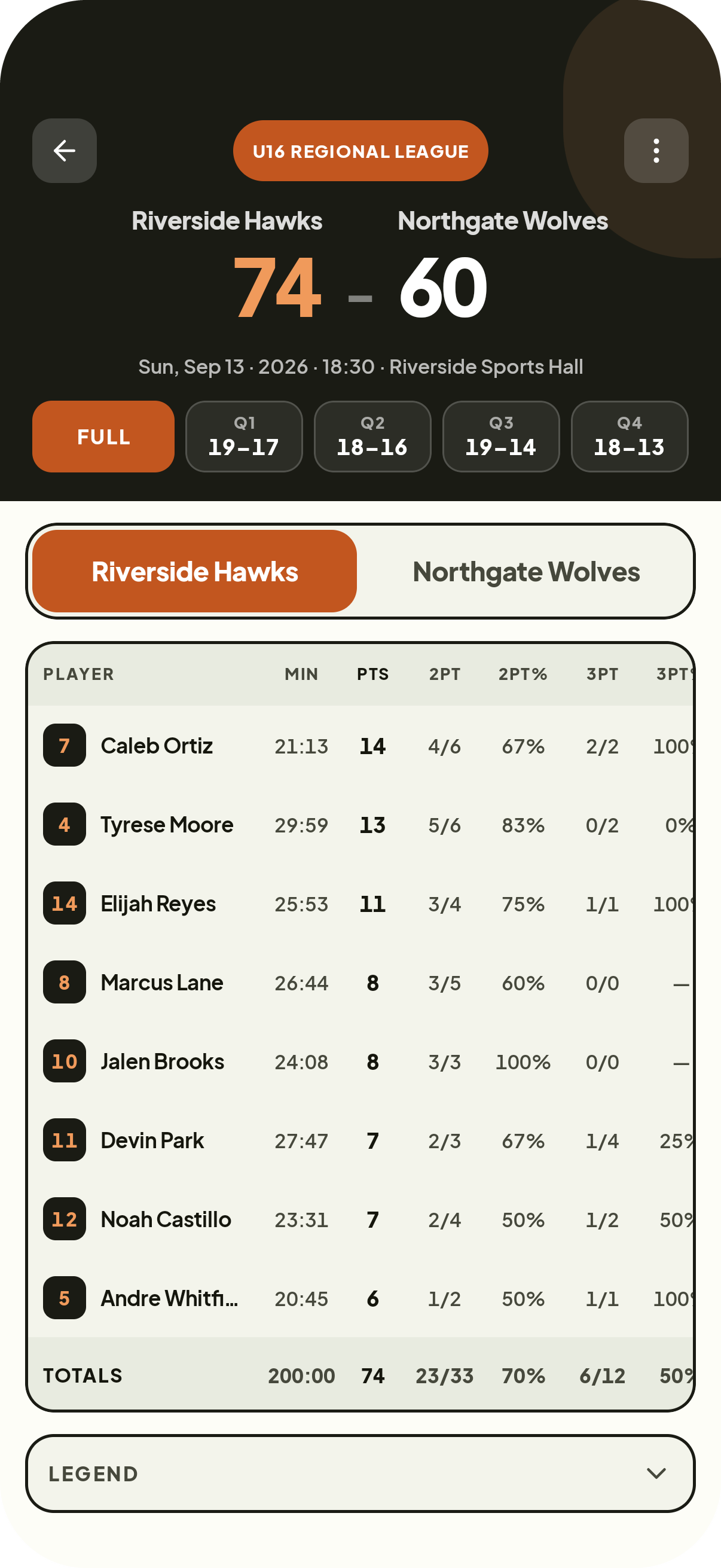
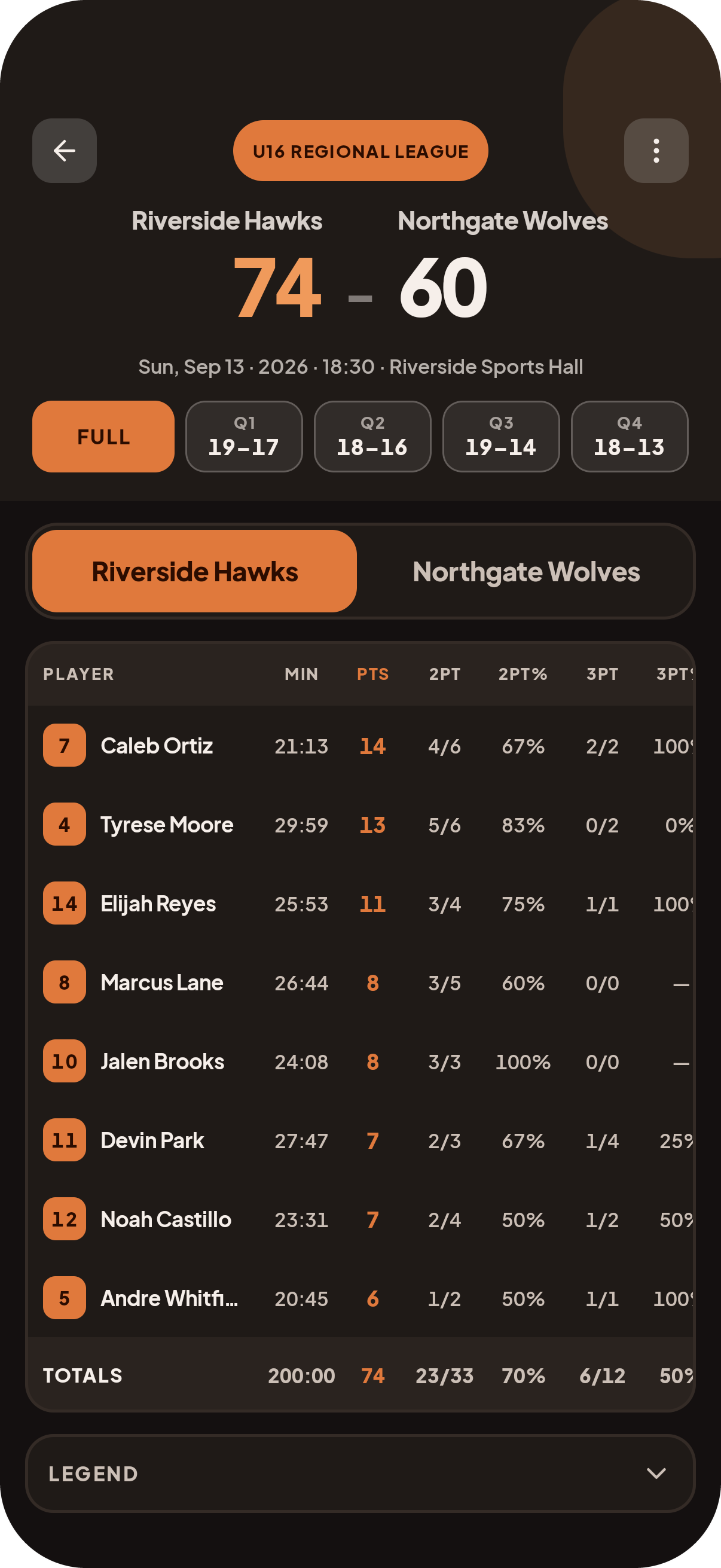
The 4Score box score: per-player totals and shooting splits.
9:41
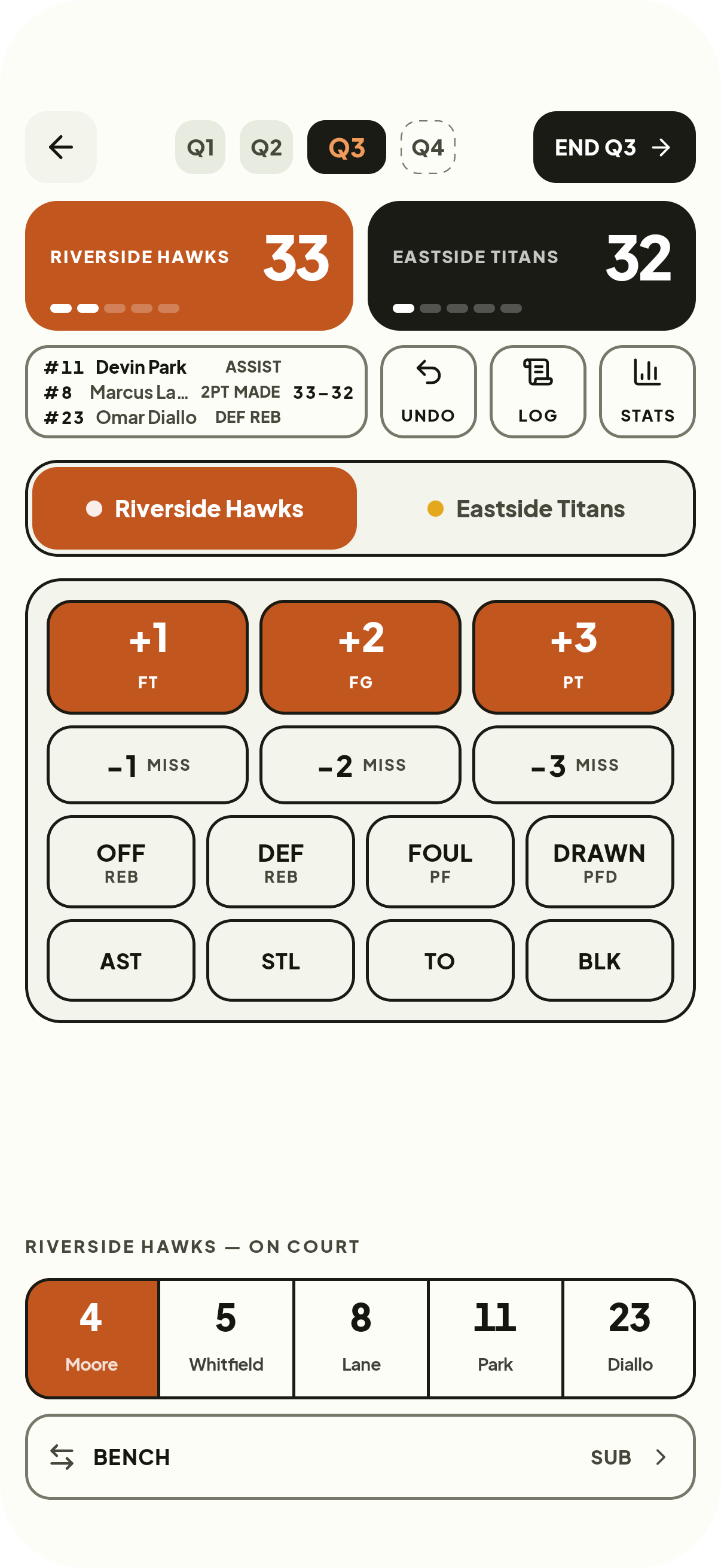
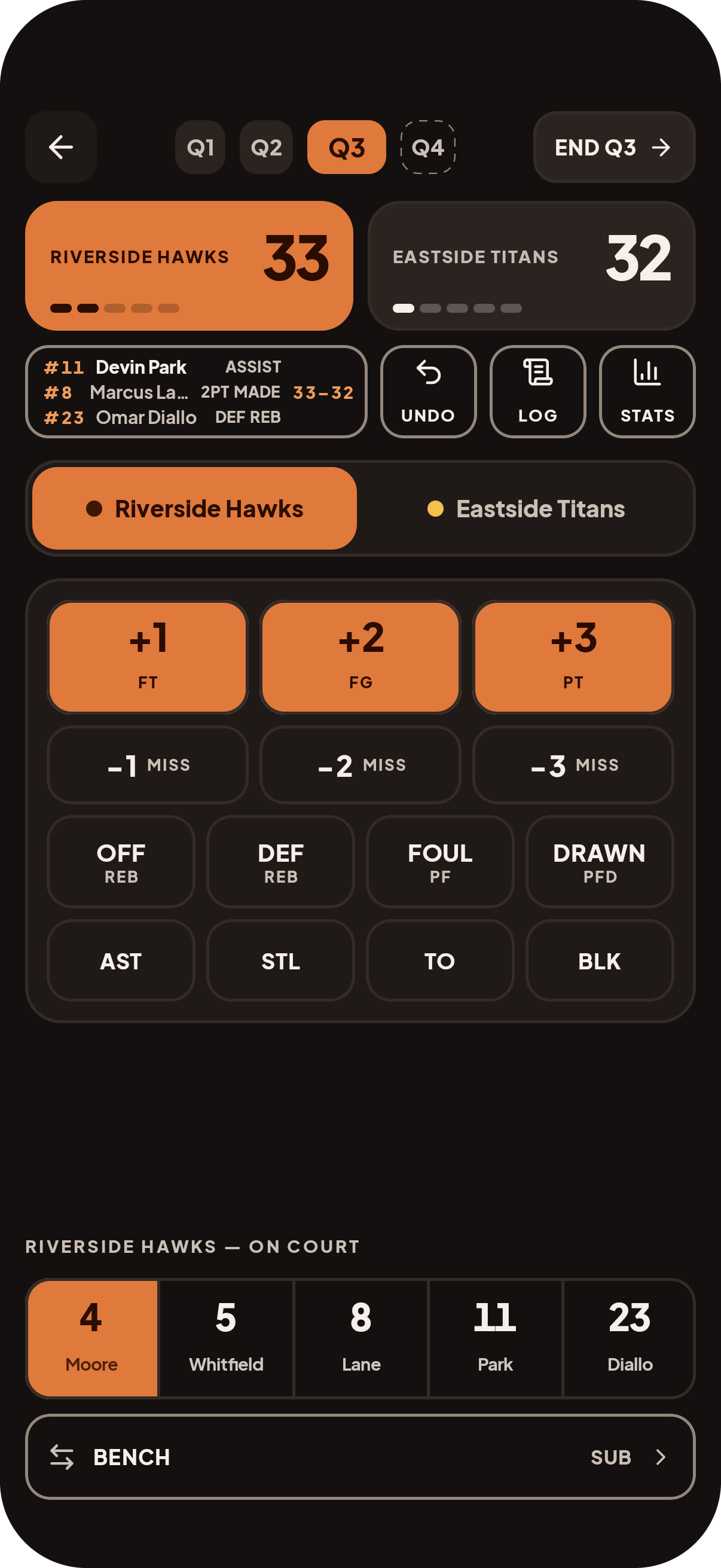
The 4Score live tracker: scoreboard, stat pad and on-court row.
HOW IT WORKS

Three screens between tip-off and a finished game.

9:41
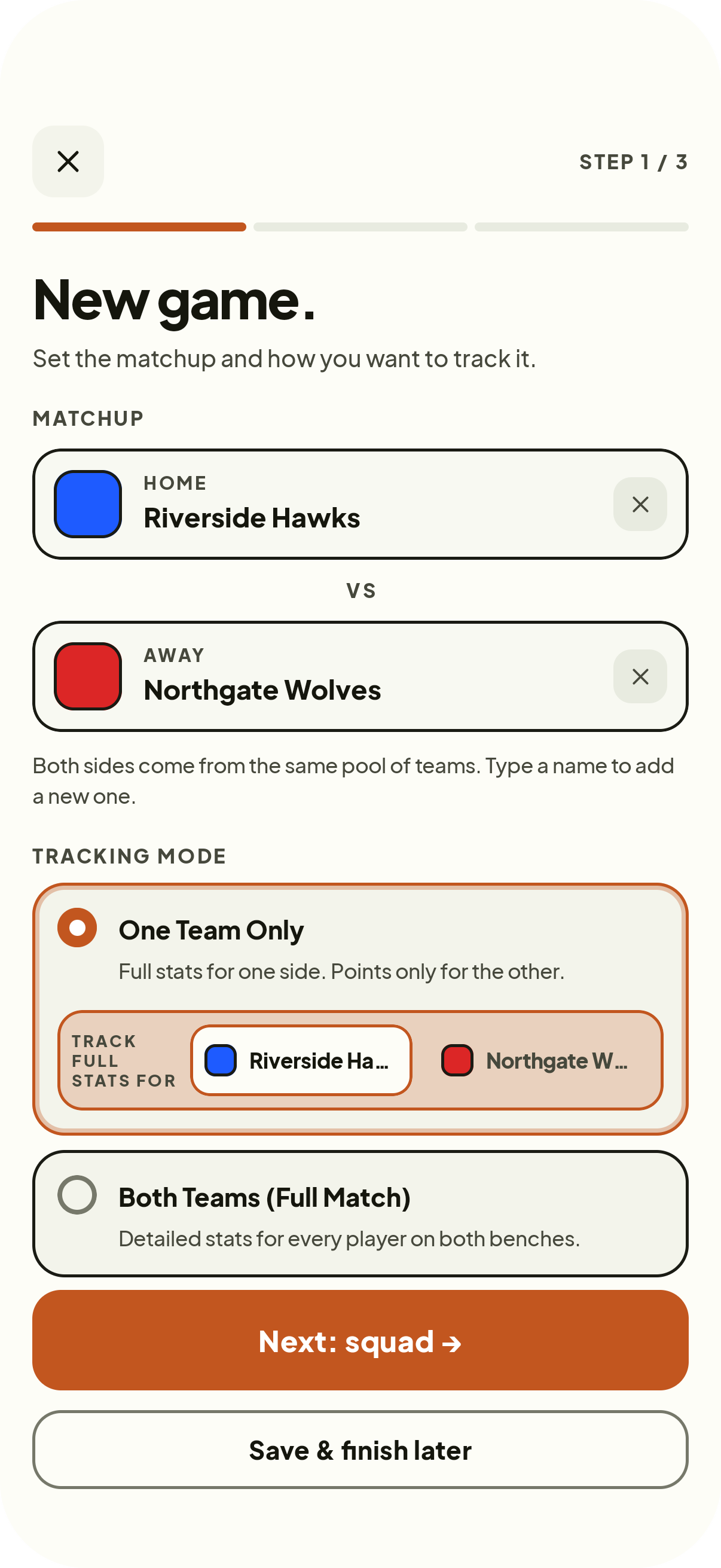
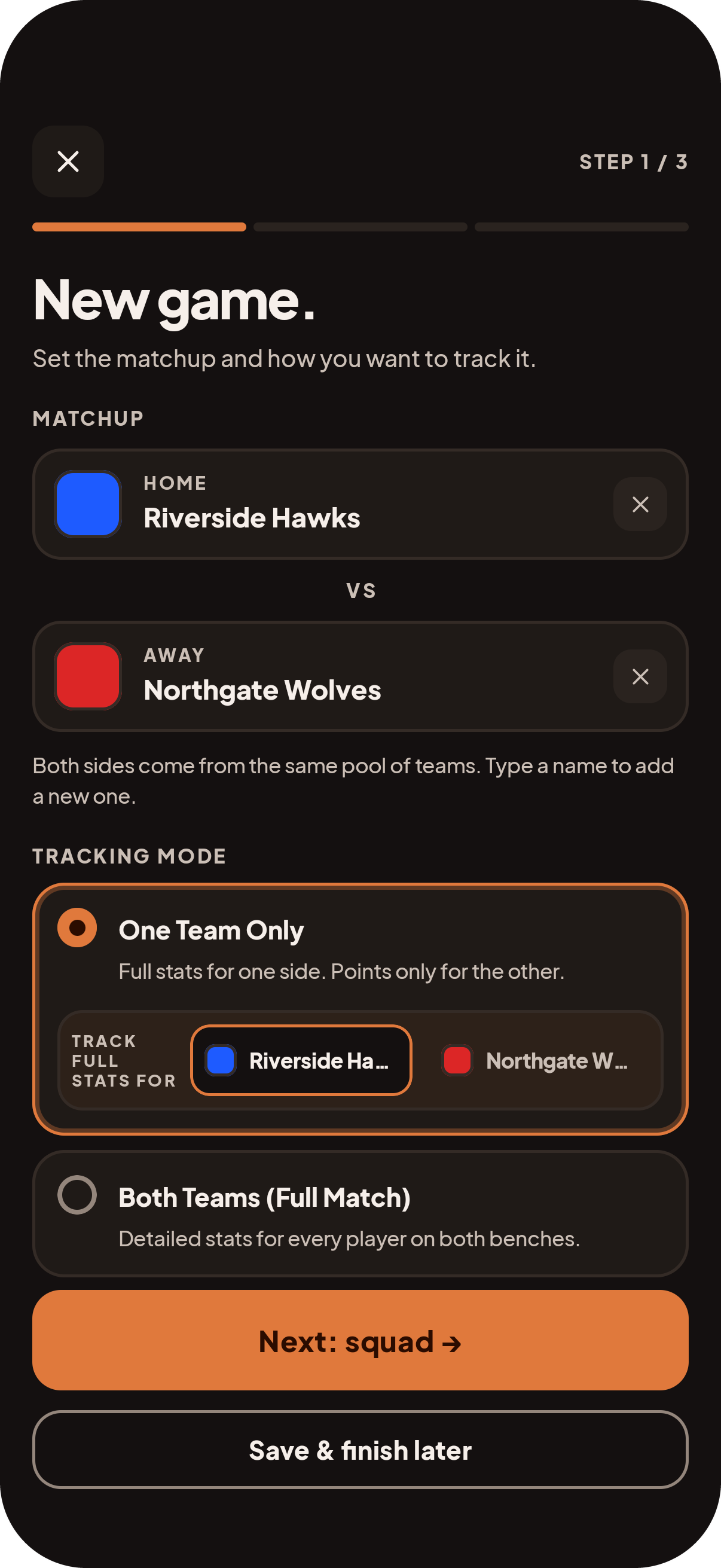
Setting up a matchup: both teams, tracking mode and the squad.
01

Set up the matchup

Pick both teams, decide whether you are tracking one side or every player on both benches, then mark who is available and who starts.

9:41
Tracking a game live: pick a player, tap the stat.
02

Track it live

Select a player, tap the stat. Targets are sized for a noisy sideline, undo sits next to the pad, and each substitution records the time left in the quarter so minutes add up on their own.

9:41
The finished box score with totals and play-by-play.
03

Read the box score

Per-player totals, shooting splits and the full play-by-play, ready the moment you tap Finish game.

MINI DEMO

Run a live possession right here.

This is the real scoreboard and stat pad. Pick a player, tap a stat, and watch the scoreline and the play-by-play move. There is no clock — end each quarter by hand, and FINISH on Q4 pushes in the box score built from your taps.

SCOREBOARD
Both scores, the quarter pills and the last three plays stay visible the whole game.
STAT PAD
Scoring sits on the filled keys; everything else is one outlined tap away.
FINISH
The Q4 chip closes the game and hands back per-player totals and shooting splits — nothing to type up.
9:41
LIGHTNING U12
0
NORTH STARS
0
Plays land here — tap a player, then a stat.
AWAY TEAM — POINTS ONLY
HOME TEAM — FULL STATS · #11 Maya
ON COURT — TAP A PLAYER
FIRST REGIONAL LEAGUE
Lightning U12
0
–
North Stars
0
Built from this demo · 0 logged actions · Q1
PLAYER
PTS
REB
AST
STL
BLK
TO
PF
PFD
11Maya
0
0
0
0
0
0
0
0
7Devin
0
0
0
0
0
0
0
0
3Sam
0
0
0
0
0
0
0
0
14Alex
0
0
0
0
0
0
0
0
22Jordan
0
0
0
0
0
0
0
0
TOTALS
0
0
0
0
0
0
0
0
Shooting: 0/0 FG · 0/0 3PT · 0/0 FT
WHAT YOU GET BACK

A box score you did not have to type up.

Every tap during the game lands in one report. Totals per player, scoring by quarter, and a play-by-play you can read back to find the run that decided it.

PER-PLAYER LINES
Points, rebounds, assists, steals, blocks, turnovers, fouls and shooting splits for everyone who played.
PLAY-BY-PLAY
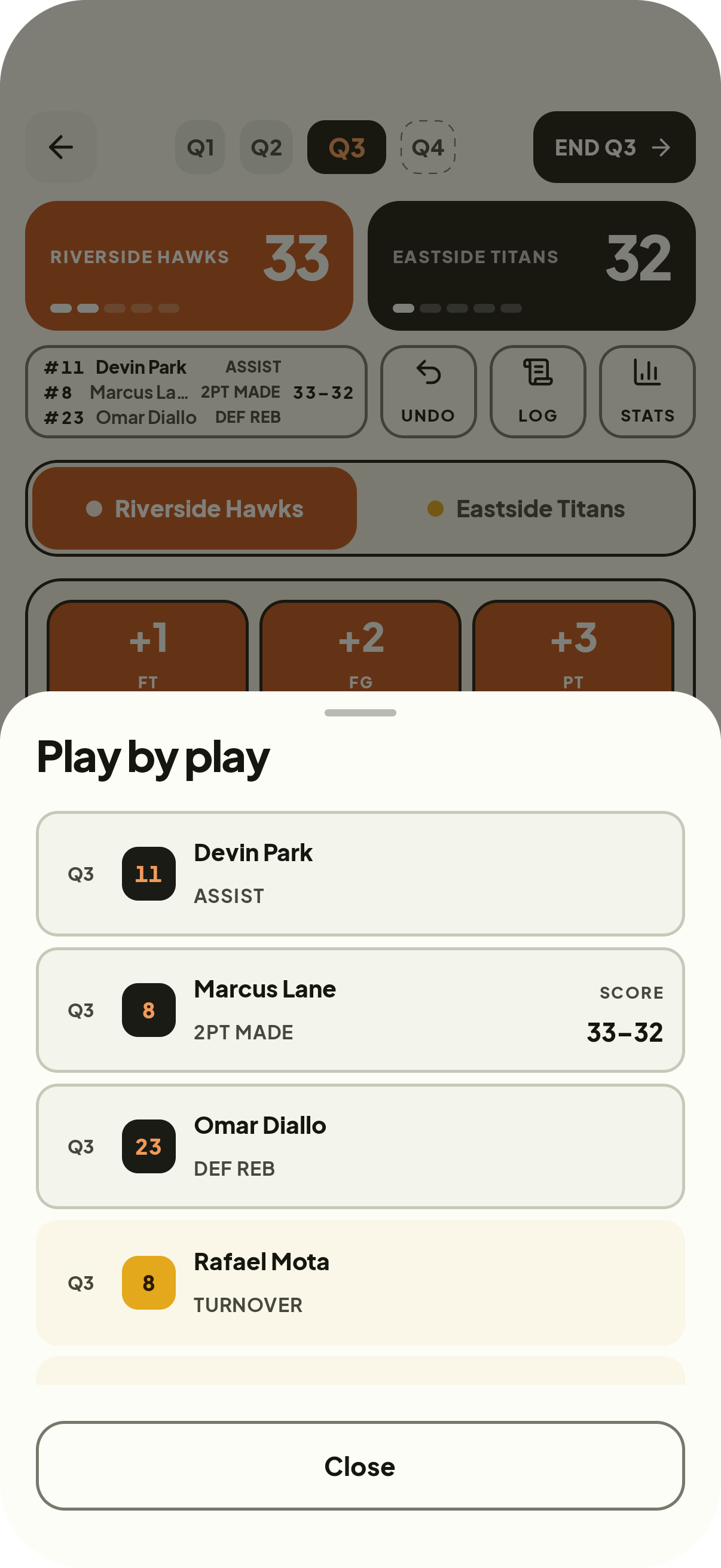
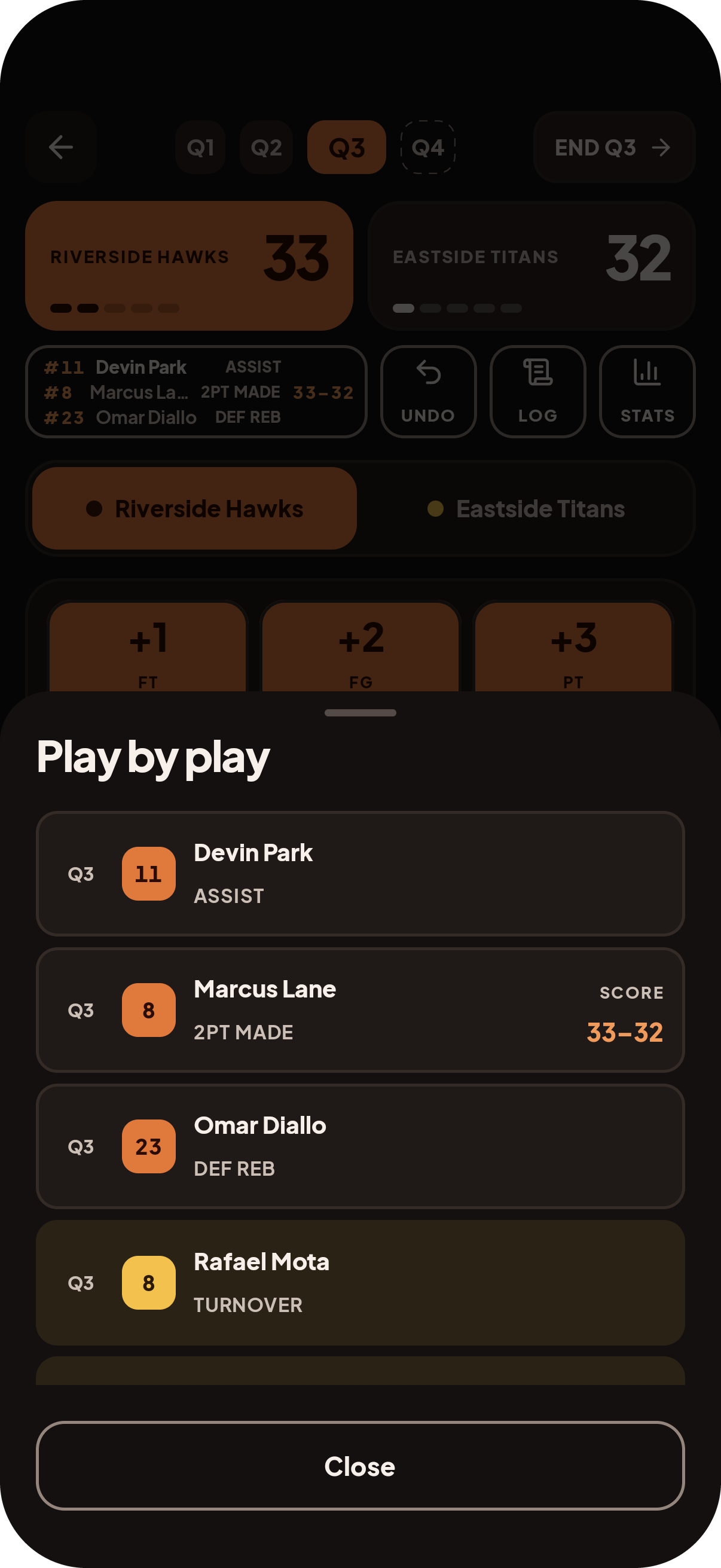
Every action in order with the resulting scoreline, so the log reads as the story of the game.
MINUTES PLAYED
Substitutions run each player’s clock, so time on court comes out of the game without anyone timing it.
BOTH-TEAMS MODE
Track the opponent at the same level and get a second full sheet, switched from the same screen.
9:41
Per-player lines, shooting splits and totals.
9:41
The play-by-play sheet, every action in order.
TEAMS & COMPETITIONS

Set the roster once. Reuse it all season.

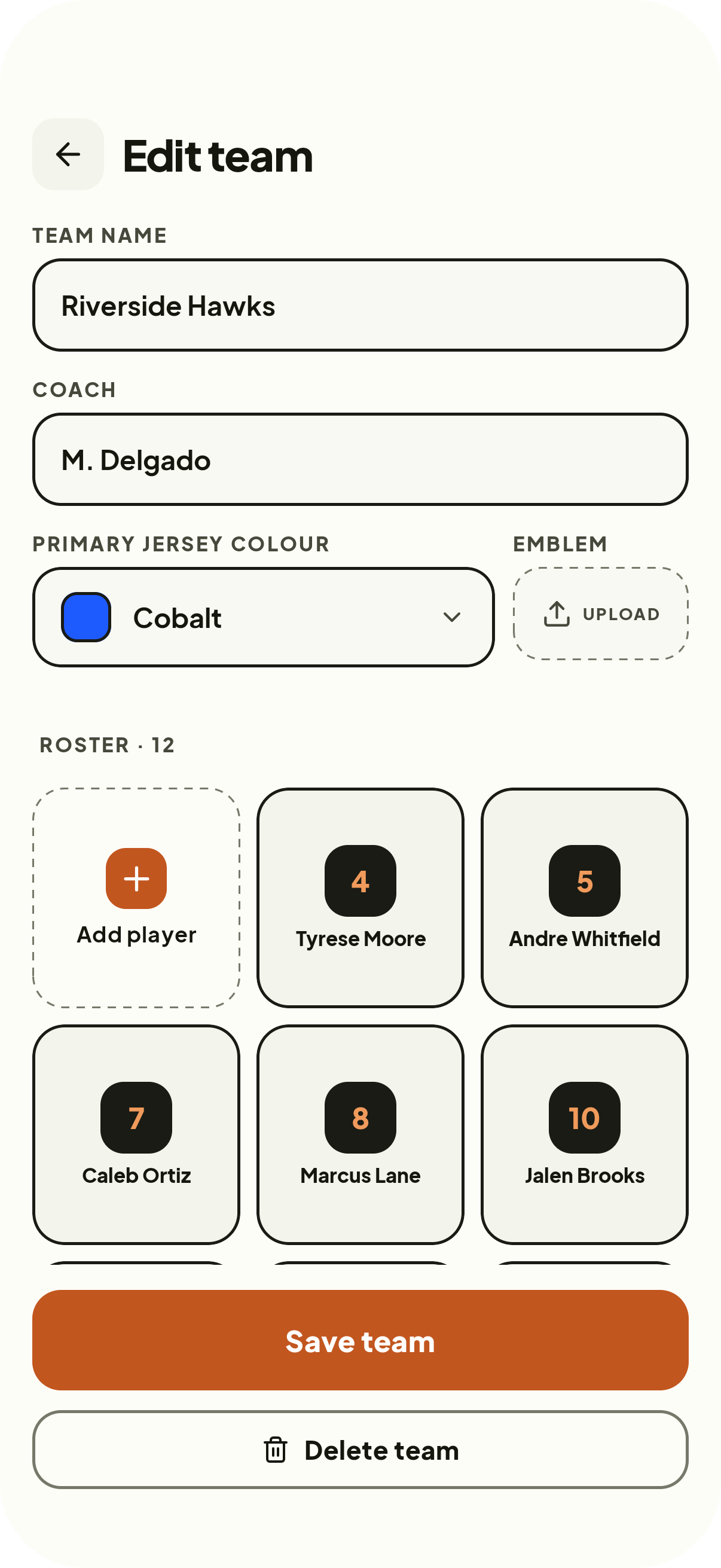
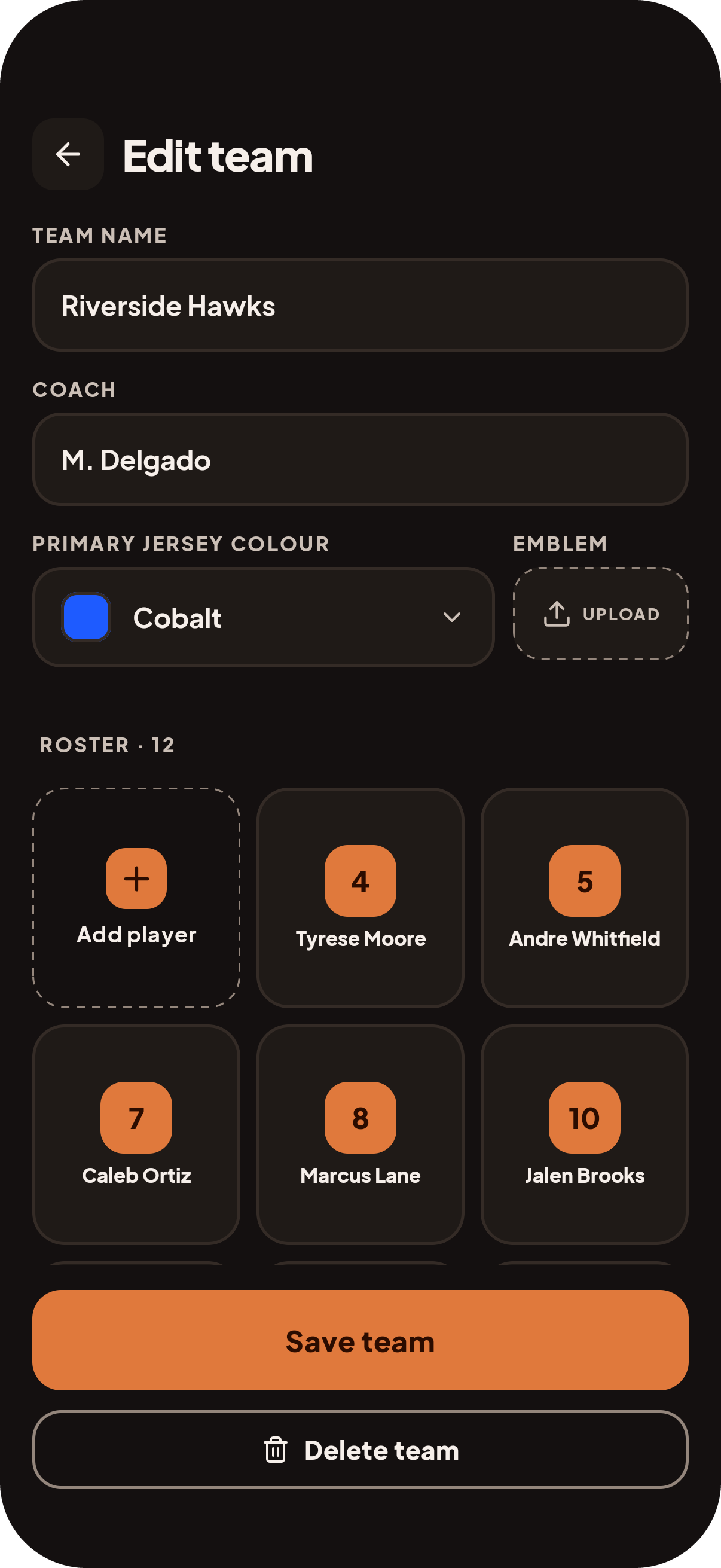
Teams carry their own roster, jersey colour, coach and emblem. Competitions are just names, so nothing stands between you and creating the fixture you need right now.

ROSTERS
A three-up grid of players with numbers and names. Add one from anywhere, including mid-setup.
OPPONENTS
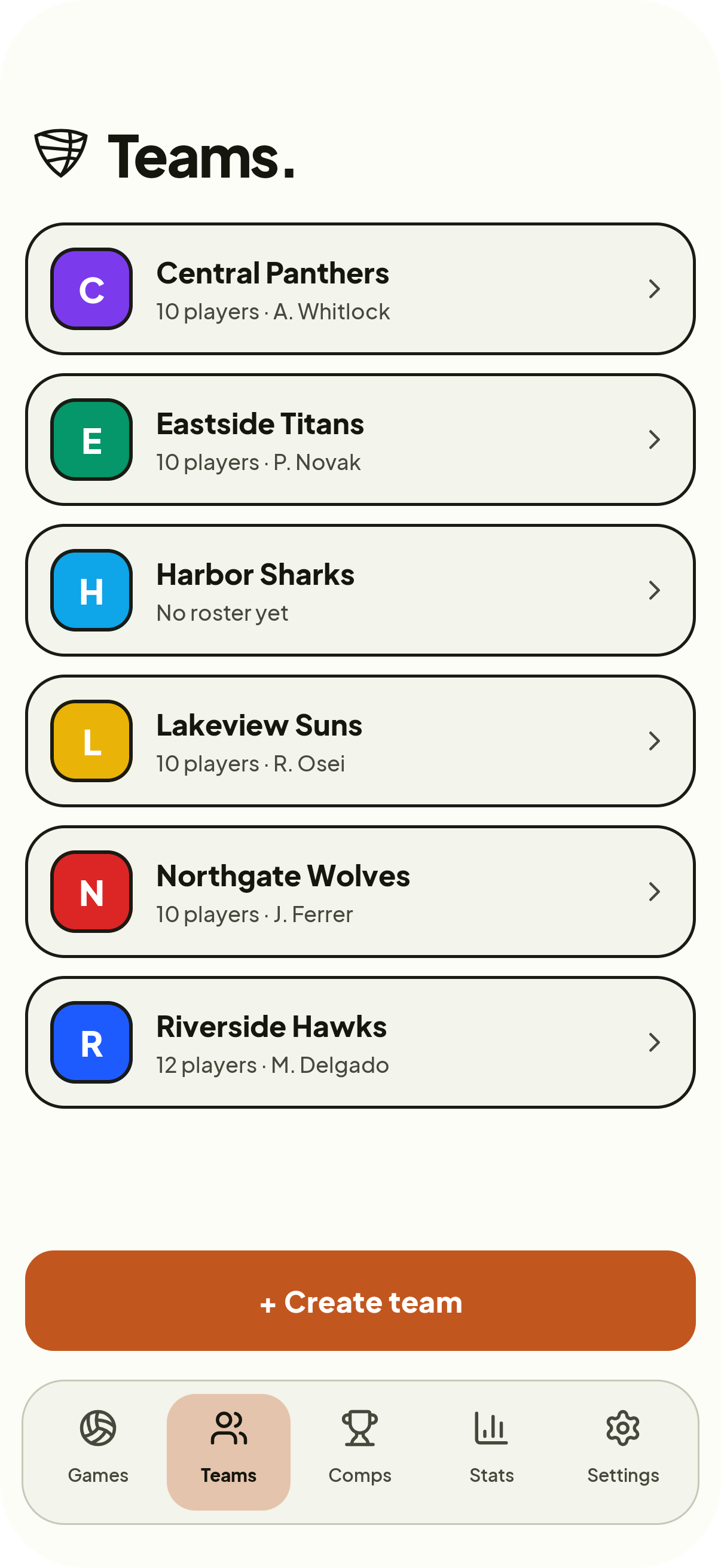
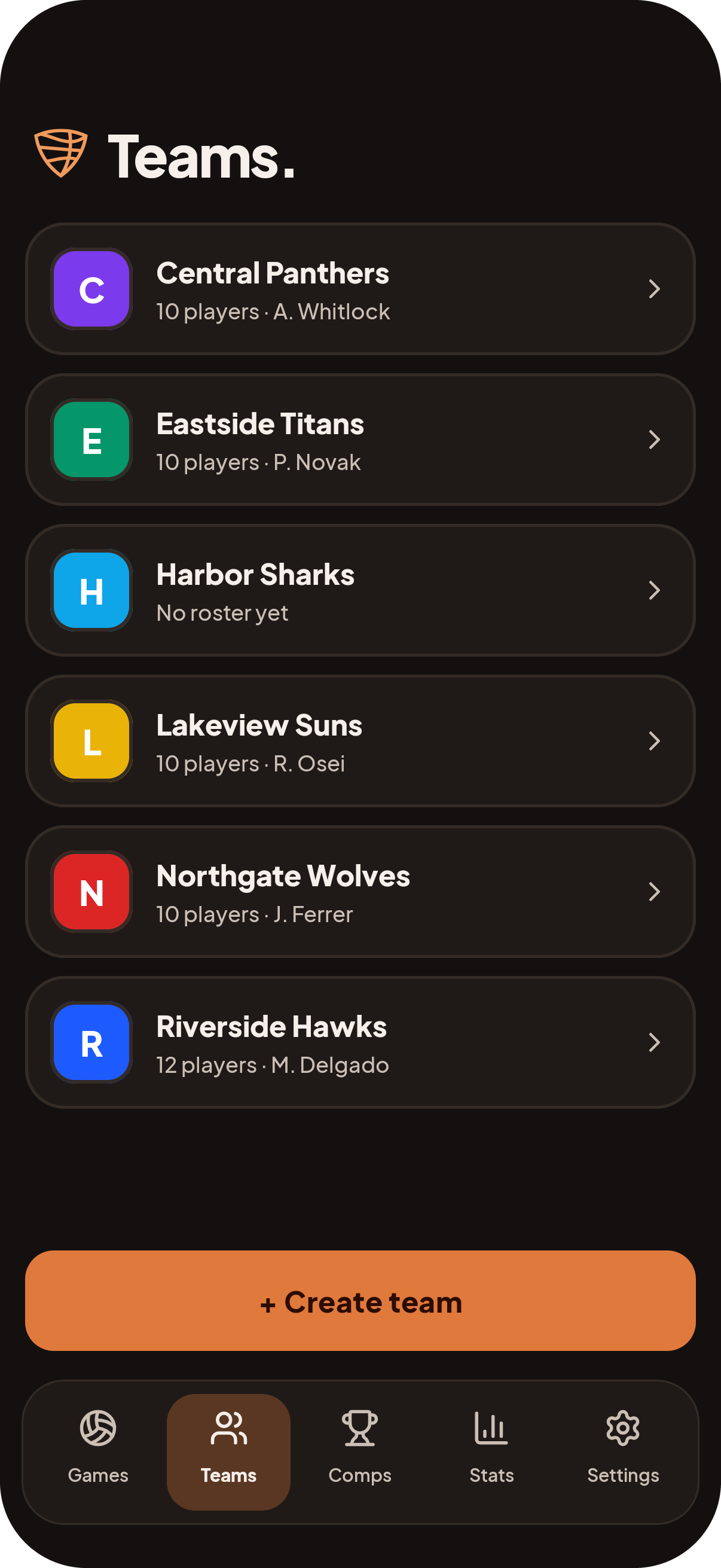
Schedule a game against a team with no roster entered yet and fill it in later.
IDENTITY
Jersey colour and emblem carry into the tracker so the two sides never get confused.
9:41
Team detail: name, coach, jersey colour and roster grid.
9:41
The teams list: my teams and opponents.

Bring 4Score to your sideline this season.

Enter a nickname and you can track your next game. One team or both benches, minutes included, on whatever phone is already in your pocket.

Soon on App Store and Google Play.